The TrackNavigator icon
iPhone · Apple Watch · browser Pro topo maps and navigation

The map for people who take their trips seriously.

Detailed topographic maps from Svalbard to the Himalaya, navigation without coverage, live positions for the whole party and Garmin inReach on the map. Plan at home, navigate in the field, and keep everyone on the same map.

Free for the first week. Then 49 kr a month or 399 kr a year.
  • Trekkers
  • Ski tourers
  • Guides
  • Expeditions
  • Hunters
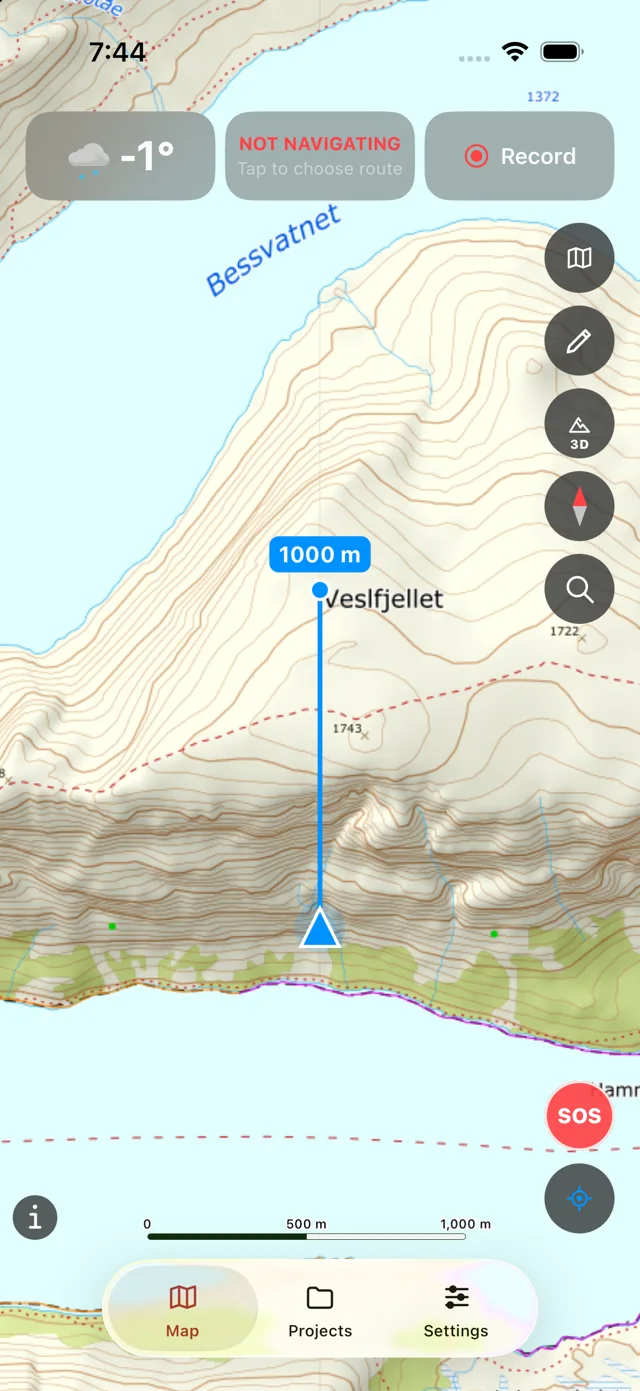
The map in the app: Kartverket's topo map of Besseggen with weather, navigation and recording at the top
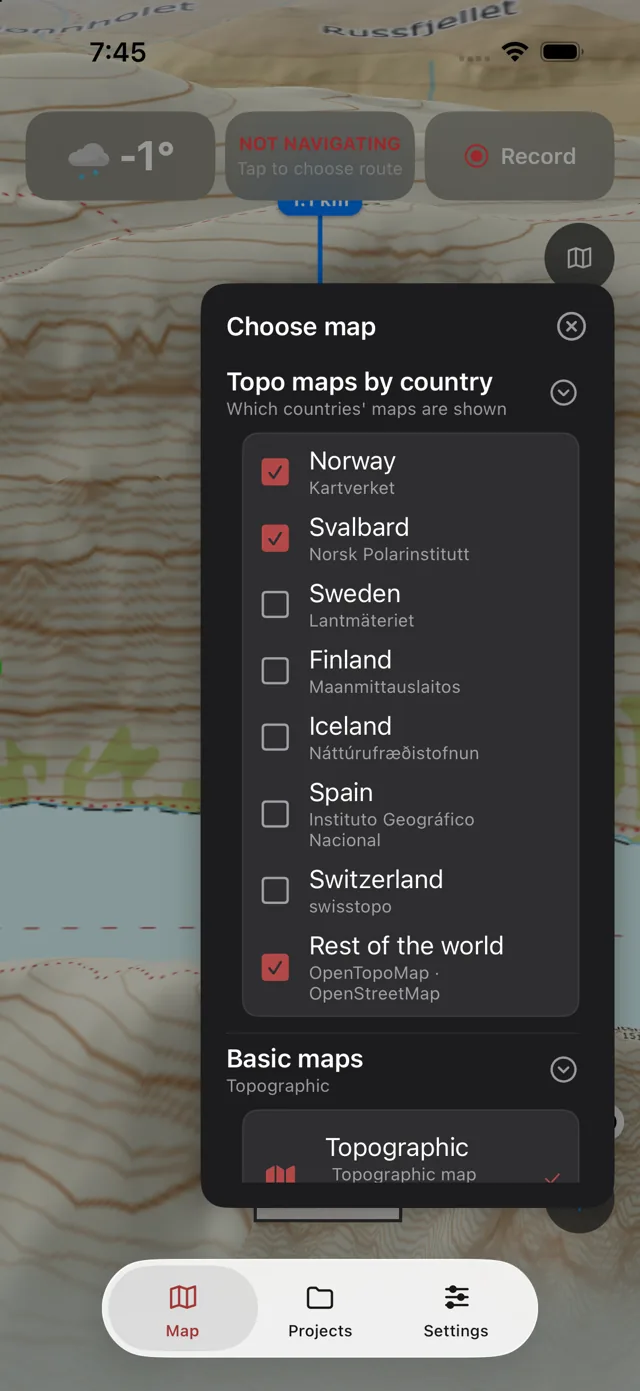
«Choose map» with topo maps per country: Norway, Svalbard, Sweden, Finland, Iceland, Spain, Switzerland and the rest of the world
Maps for the backcountry

Official topo maps – also without coverage

  • Seven countries in one map: Kartverket (Norway and Svalbard), Lantmäteriet, Maanmittauslaitos, Iceland, Spain and Switzerland – and our own trekking map for Nepal and the Himalaya.
  • Offline: draw an area and download it. The map, the contour lines and the slope layer work without a network.
  • Satellite and Hybrid: aerial imagery with trails, roads, ski tracks and snowmobile trails on top – in the Nordics and the Himalaya.
  • Your own map layers: paste a WMS, WMTS or XYZ address, or upload GeoTIFF, MBTiles, KML or Shapefile. A selection of layers from Kartverket, NGU, NIBIO and Riksantikvaren is ready to switch on.
  • Layers for decisions: slope steepness, avalanche warnings from Varsom, protected areas and access bans, sea charts, drone zones and NOTAMs, emergency-network coverage, road weather and webcams.
The terrain in 3D

See the mountain as it is

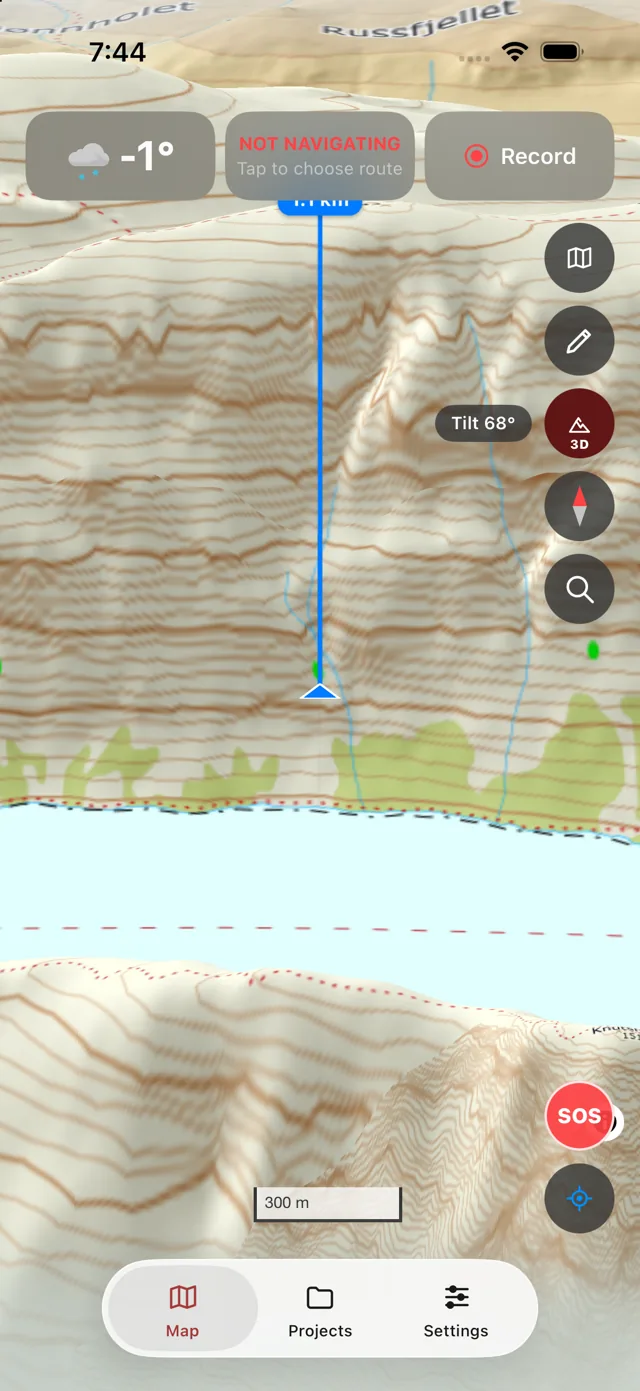
Tilt the map and see the route, the contour lines and the slope layer draped over the terrain. Every map layer comes along into 3D, and the slope angle shows while you tilt.
  • Contour lines on the satellite imagery in Norway, Spain, Switzerland and the Himalaya
  • Tilt up to 95° – useful when the mountains are tall
  • Peaks: point the camera at the mountains and get the name, height and distance of the summits you can actually see – in Norway and the Himalaya
The 3D view: Besseggen with contour lines draped over the terrain and a 68° slope
Plan like a pro

The same map on tracknavigator.app

Everything you do in the app is also in the browser – the same projects, the same map layers, the same buttons. Plan on a big screen at home, and have it ready on the phone when you go.
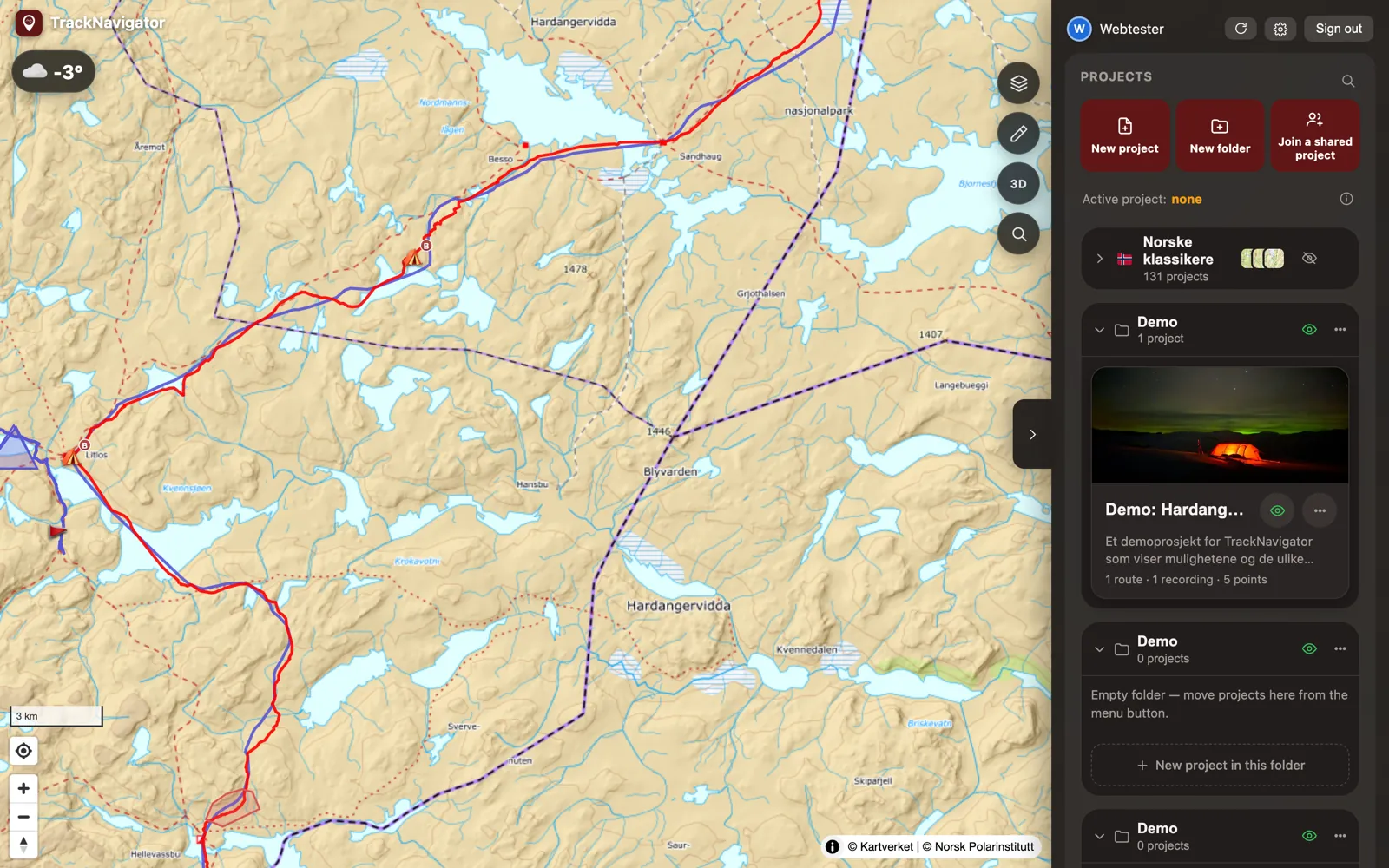
The web version: Hardangervidda with a route, a recording and points, and the project list on the right

Routes that follow the trails

Click from point to point; the route snaps to trails and ski tracks by itself, or goes in a straight line. Elevation profile and estimated time from your own travel speeds.

Route analysis

Climb, steep sections, protected areas and mobile coverage along the route – and the same for a recording afterwards.

Weather where you are going

Hourly forecast and 10 days, wind aloft, waves and tides along the coast, sun and moon with an AR sight.
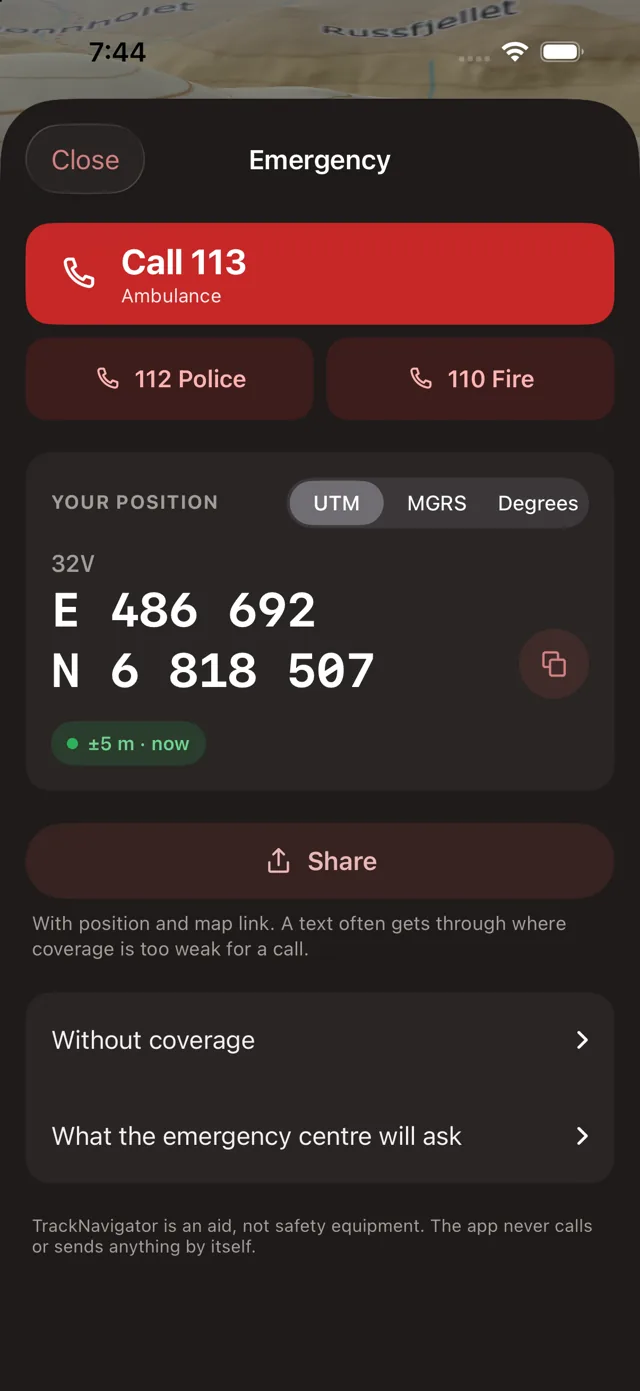
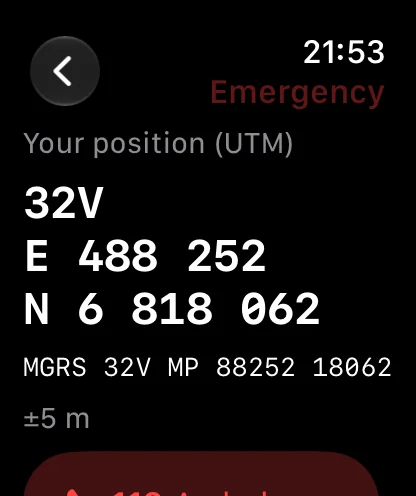
Emergency help: call 113, your position in UTM in large digits, send as SMS
In the field

Made for gloves, rain and poor coverage

  • Navigation along the route with a safety zone that warns when you go off course.
  • Recording on iPhone and Apple Watch, with battery profiles for long trips and a Live Activity on the lock screen.
  • Your position in UTM, MGRS, degrees – and compass and altitude.
  • Emergency help, free for everyone: one tap gives the emergency numbers where you are, your position in the format the dispatcher asks for, and an SMS with position and map link.
  • Voice control for gloves and rain: «zoom in», «center on position», «emergency».
Apple Watch

The safety zone on your wrist

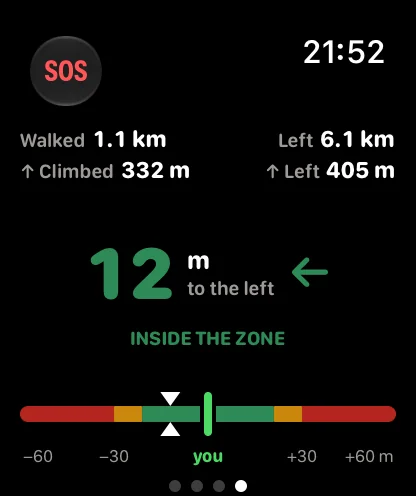
The watch opens on the map around you and navigates along the route. Swipe to the pages that show how far from the route you are – the green centre line is you, the colours say whether you are inside the zone, near its edge or outside – with distance walked, distance left and climb at the top. Emergency help with your position in UTM and MGRS is always one tap away.
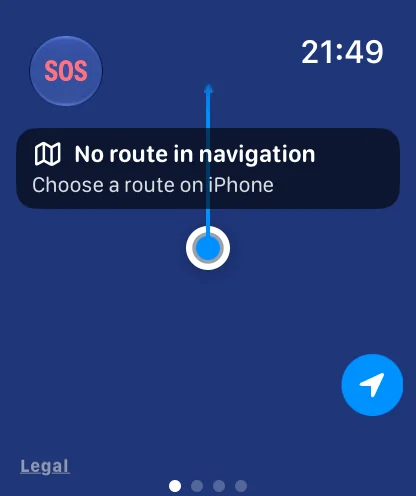
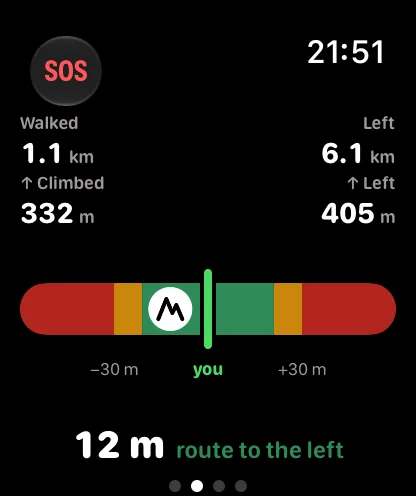
The watch: the map around you, «No route in navigation – choose a route on iPhone» The watch: the corridor page – colour zones, the green line is you, the route 12 m to the left The watch: the gauge page – 12 m to the left, inside the zone The watch: Emergency help with the position in UTM and MGRS
The whole party

One project, everyone on the same map

  • Shared projects: routes, points, photos, documents and your own map layers – everyone sees the same, in the app and on the web.
  • Live positions for the people you choose, and Garmin inReach on the map via MapShare – your own or the guide's.
  • Share beyond the party: share pages for people without an account, GPX export, a PDF report or upload to Strava.
  • Ultra privacy: if you want, everything stays on the phone only – no copy on the server.
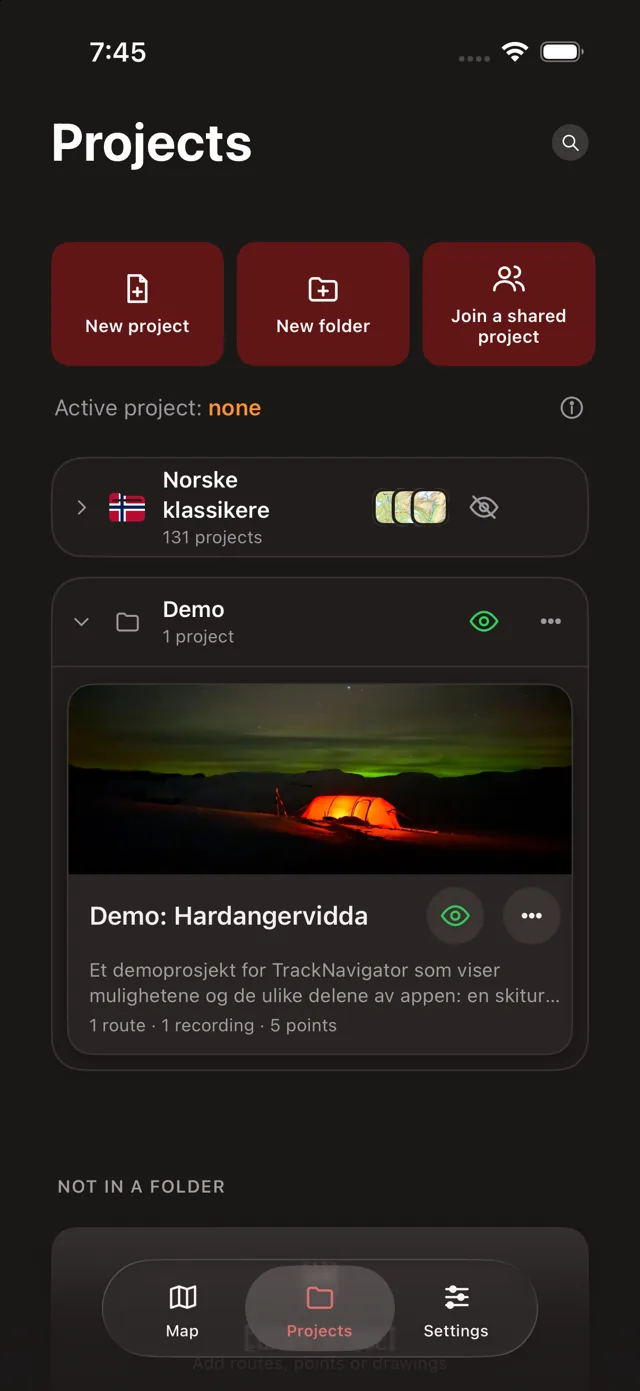
Projects: Norwegian classics, the Demo folder with the project Demo: Hardangervidda
Price

Free for the first week. One subscription for app and web.

Monthly 49 kr Renews every month
Yearly · save 32 % 399 kr Renews every year

Needs an account (Sign in with Apple). Map download, 3D, satellite imagery, your own map layers, Peaks, drone and coverage layers, share pages and the PDF report need a subscription. Emergency help and GPX export are free; after the free week, navigation, recording and measuring need a subscription too. The subscription is bought in the app and also applies on tracknavigator.app. Prices in Norwegian kroner; the App Store shows the price in your own currency.